Build together.
With Lucy Platform.
Create screens in Lucy Studio, collaborate in TeamCloud, and edit with Lucy Devora(AI).
Features
-
Lucy Studio: Visual App Building
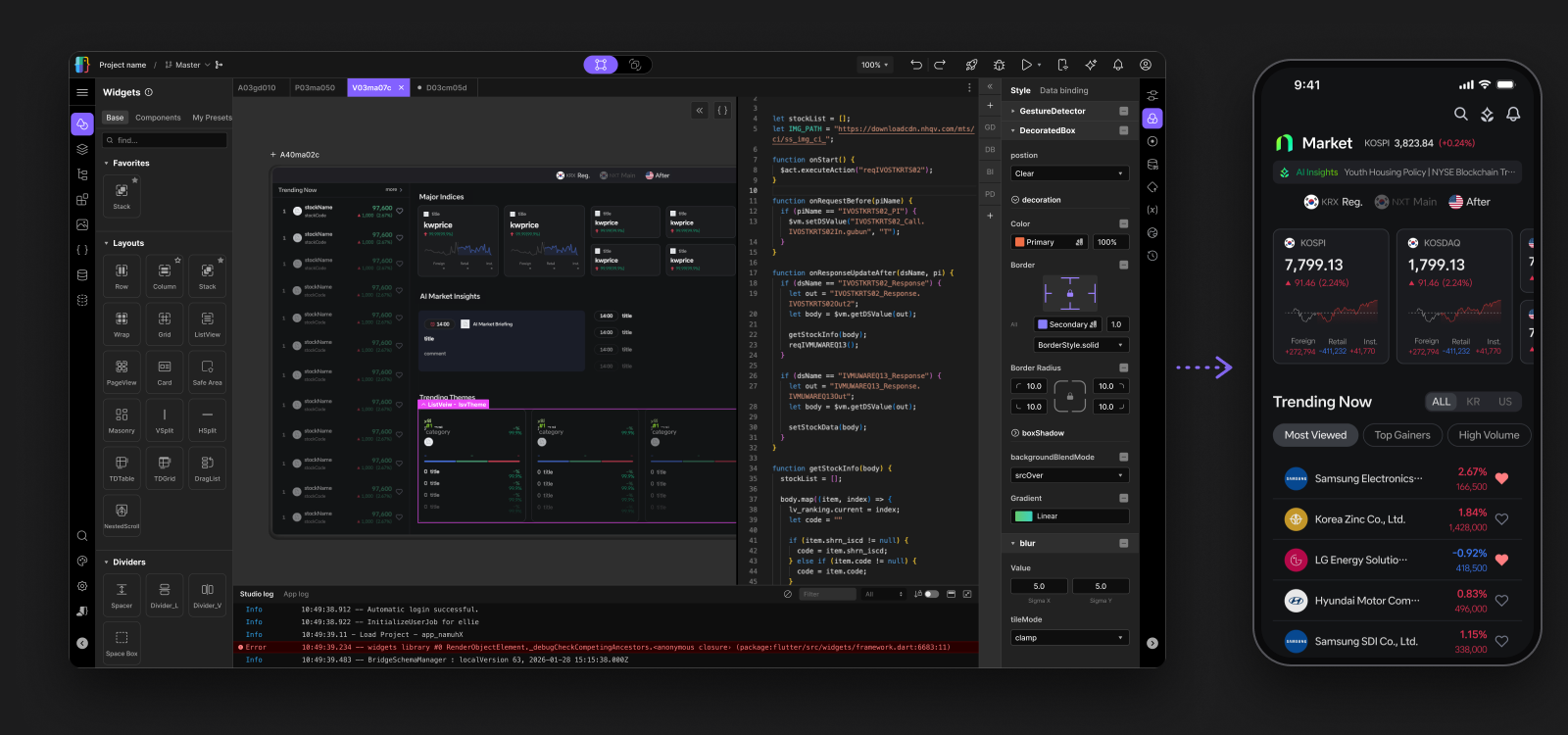
Bring Figma designs into Lucy Studio as editable screens. Refine the layout, then connect the data and behavior your service needs.
-
TeamCloud: Team Collaboration
Keep projects and team members organized in a shared workspace. Manage access and project versions as your team works together.
-
Lucy Devora(AI): Edit with AI
Edit screens and behavior with plain-language requests inside Studio. See screen changes immediately and review code changes before applying them.
-
High-Performance Financial Widget Library
Compose financial interfaces with charts, data grids, and reusable widgets. Combine them to build the screens your trading service needs.
-
Unified MTS-WTS-HTS Synergy
Extend shared screen assets across mobile, web, and desktop. Maintain a common structure while adapting the layout for each channel.
-
Data & Multi-Protocol Connectivity
Connect external data through REST APIs, sockets, and other supported sources. Bind values to widgets and add JavaScript when you need finer control.
Transformation
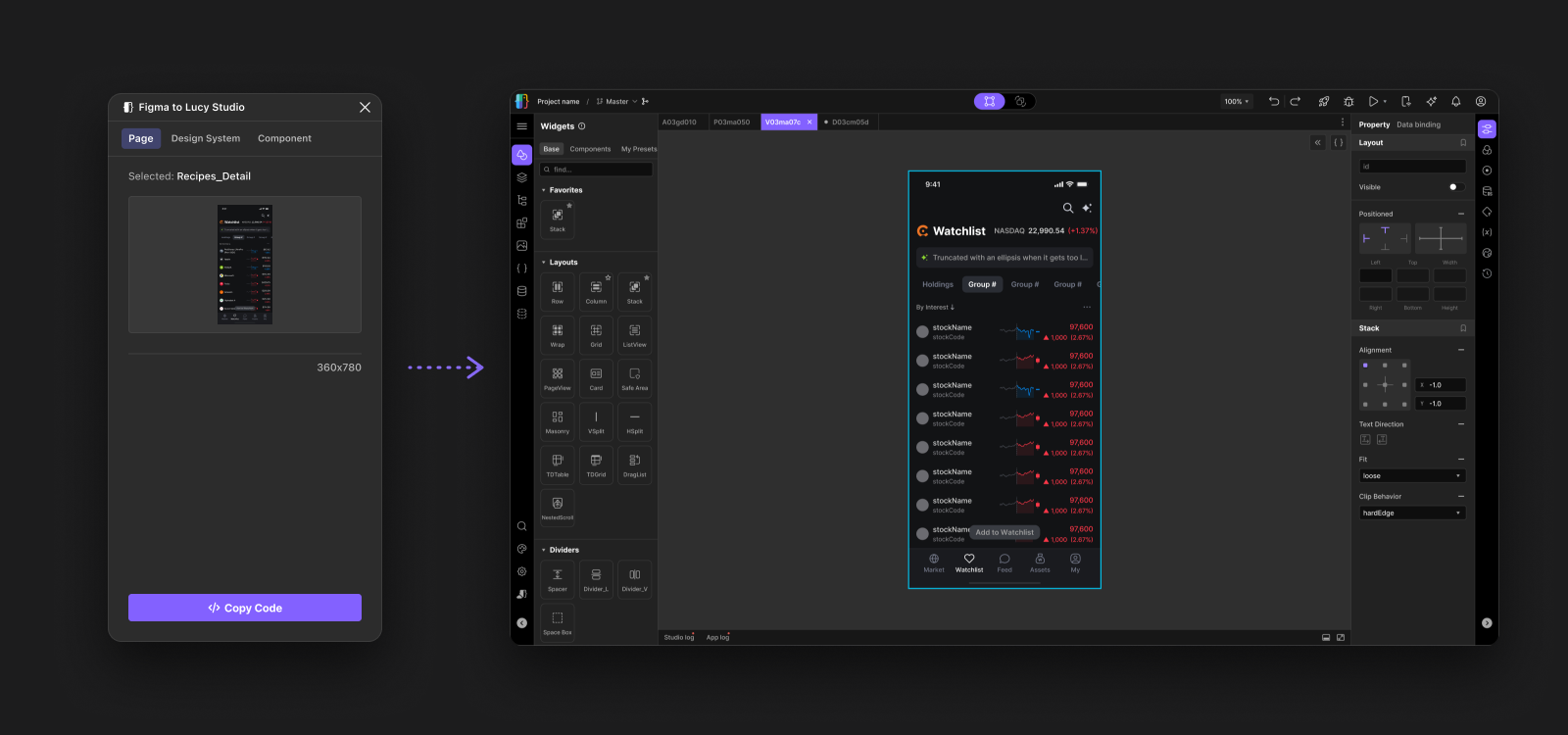
- Process: Import screens and design assets from Figma into Lucy Studio, then check their layout and style mappings.
- Core Value: Continue editing the imported widgets in Studio. Reuse components and shared styles while connecting the data and behavior your application needs.
Composition
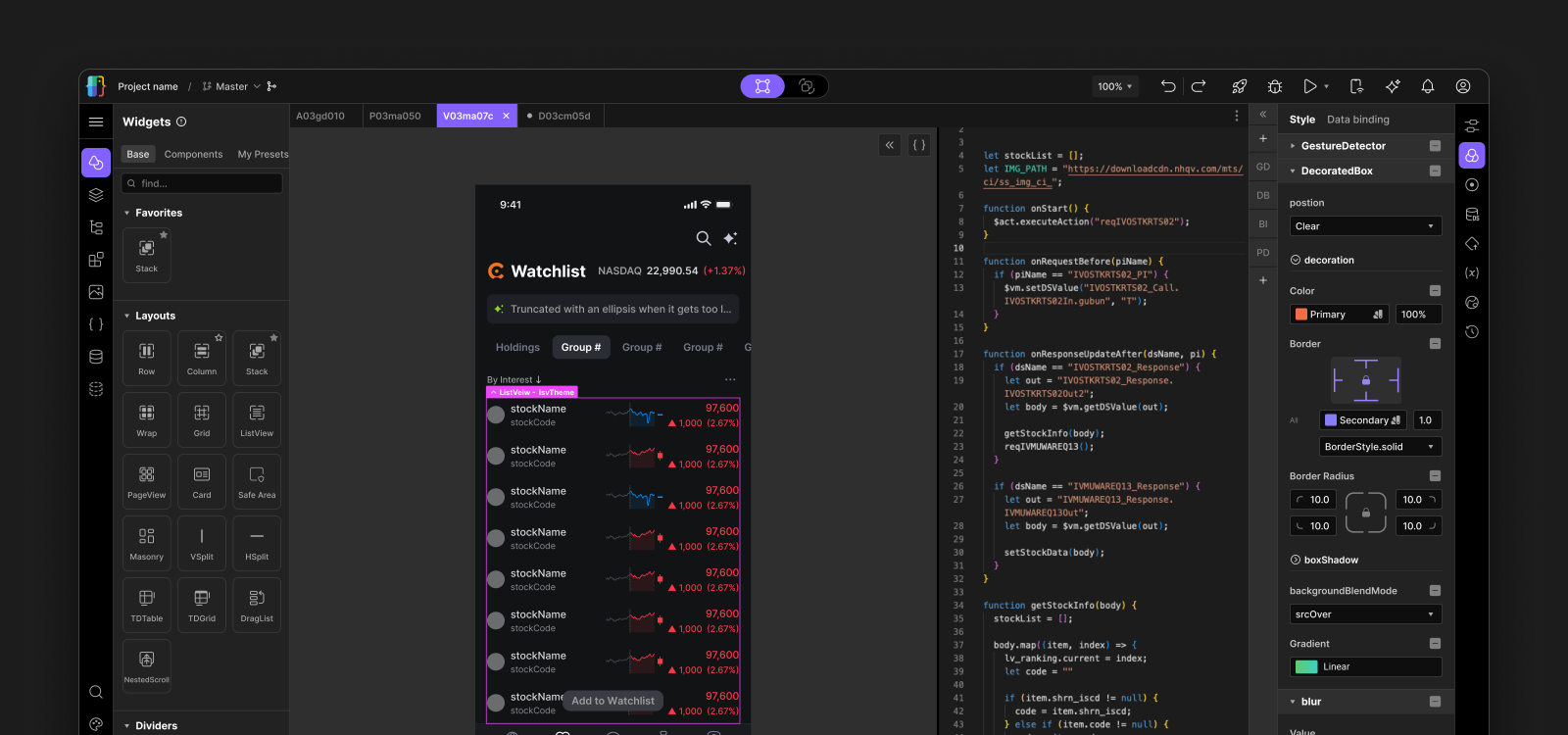
- Process: Compose screens with widgets, layouts, and reusable components in Lucy Studio.
- Core Value: Adjust properties and layouts, add interactions, and reuse components across your project. Check the result as you refine the screen.
Connectivity
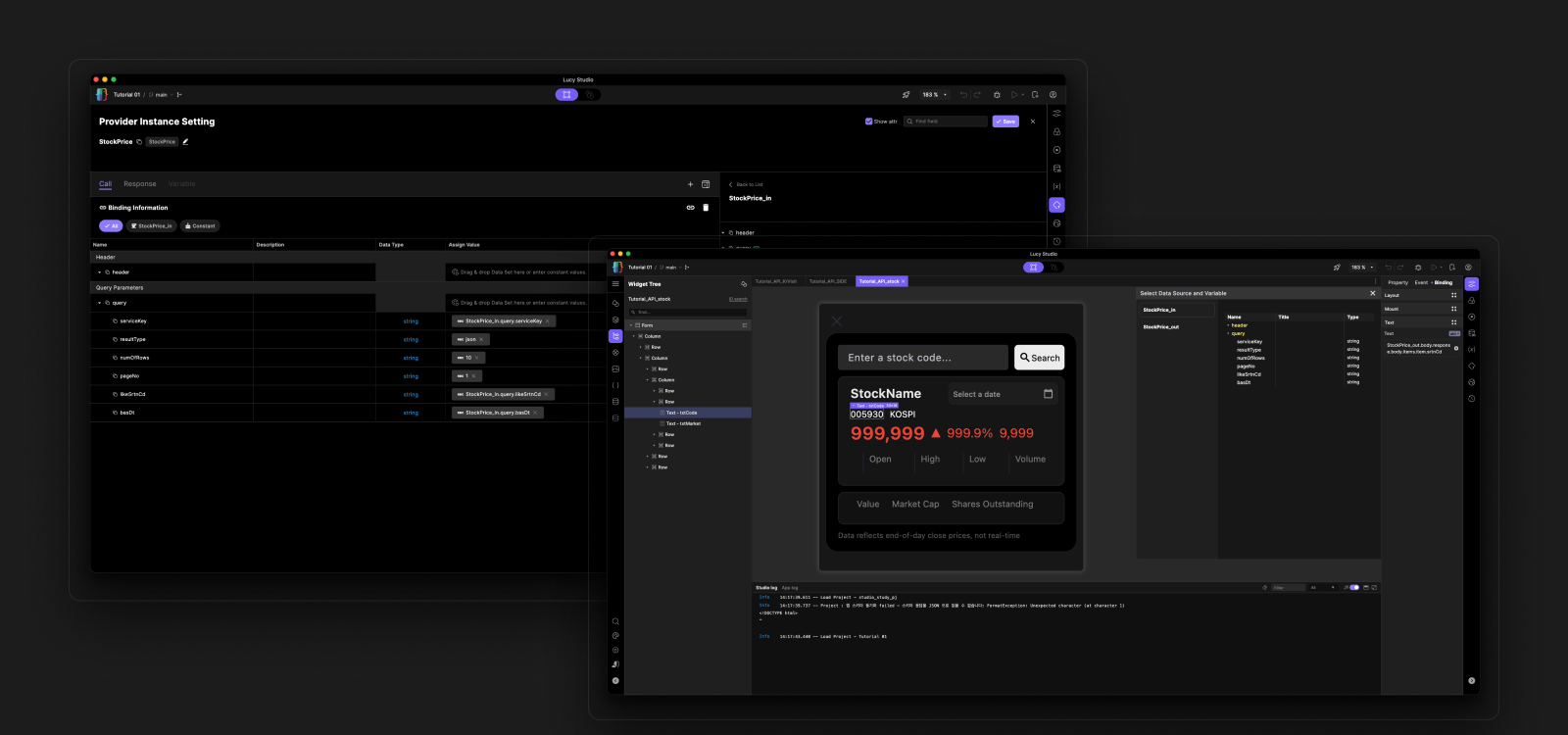
- Process: Choose a REST API, socket, or other supported data source, then bind its values to screen widgets.
- Core Value: Connect data and behavior in the same workspace. Use JavaScript for custom logic and inspect the result while developing.
Channel Build
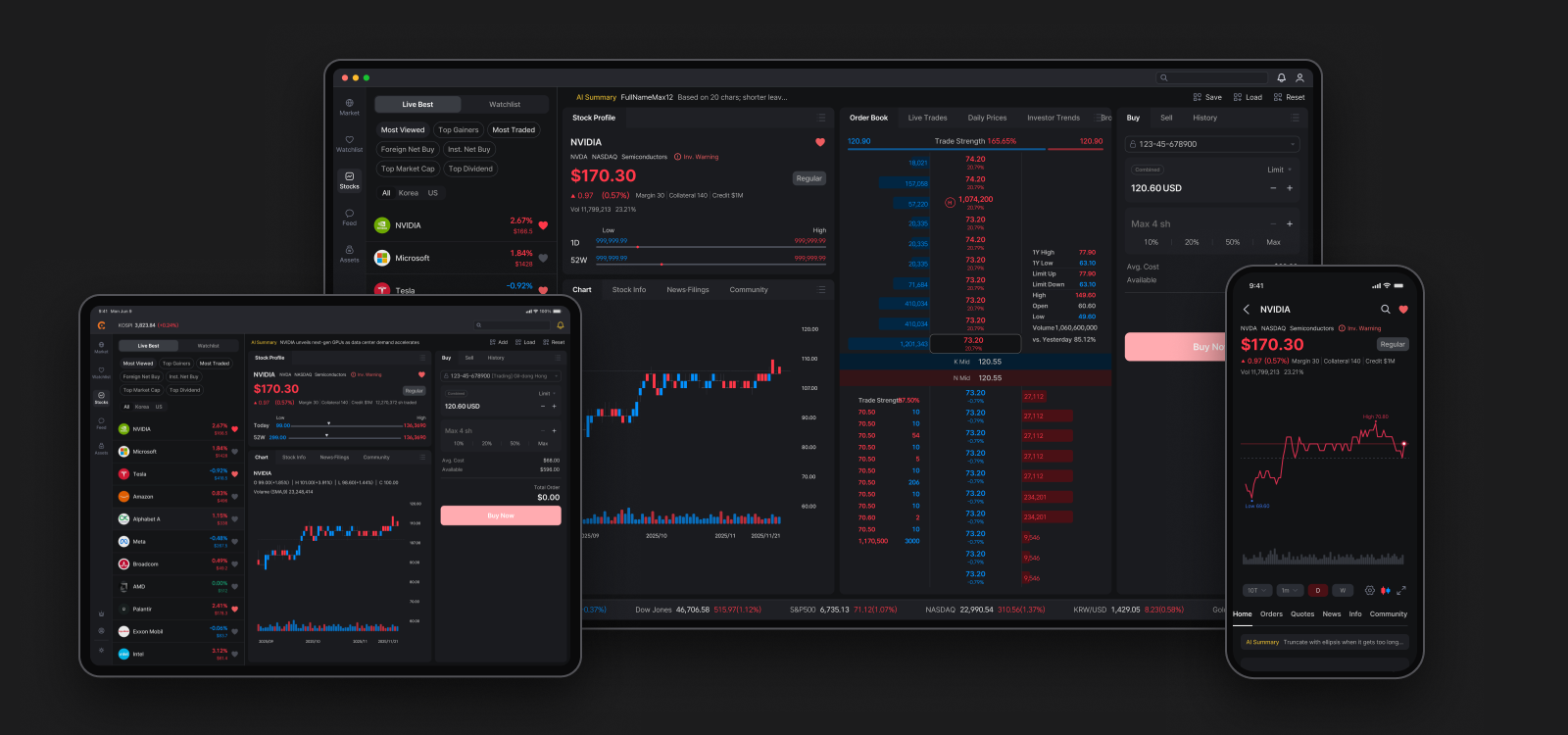
- Process: Prepare your Studio project for the supported mobile, web, and desktop environments.
- Core Value: Reuse screen assets and components across channels. Check the layout and behavior in each target environment before delivery.
Management
- Process: Edit screens and behavior, test the changes, and deliver the next version for your operating environment.
- Core Value: Continue improving after release. What can be updated depends on the application implementation and applicable distribution policies.
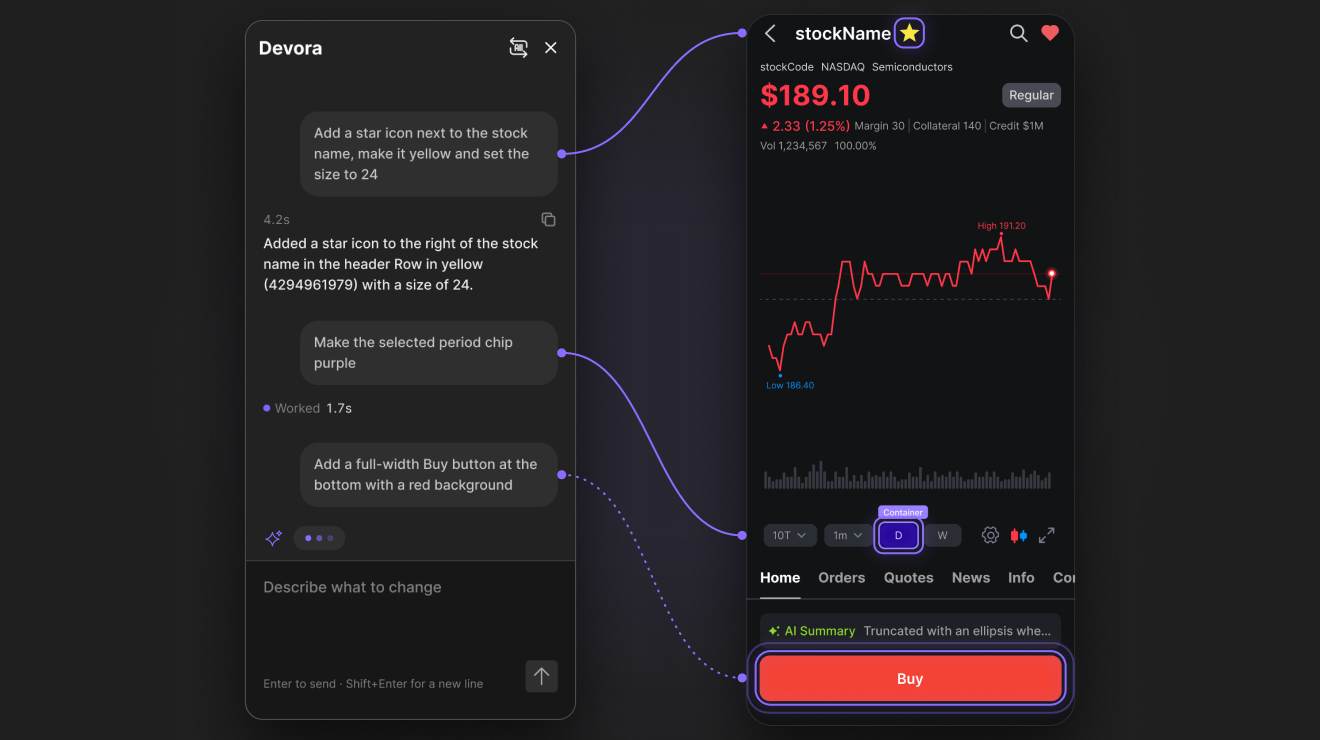
Lucy Devora(AI)
Meet Devora, your teammate inside Studio.
Edit screens and behavior with plain-language requests. Screen changes apply immediately; code changes are shown for review before you apply them.
Why
choose
Lucy
Platform?
-
Shared Assets Across Platforms
Reuse screens, components, and logic across supported environments. Adapt the layout to each device while maintaining a shared project structure.
-
A Shared Space for Your Team
TeamCloud brings project collaboration, member access, and version management into a shared workspace for your team.
-
Consistent Screens, Checked on Devices
Use Flutter-based rendering and test the result in your target environment. Review both visual consistency and interaction on real devices.
-
From Design to Working Screens
Bring in Figma designs, refine their widgets and properties, and connect data and behavior. Check the result through Studio and Player.
-
AI Assistance Inside Studio
Lucy Devora(AI) helps you edit screens and behavior with plain-language requests. Check screen changes and review code changes before applying them.
FAQ
-
What is Lucy Platform?
Lucy Platform brings together Lucy Studio for visual app creation, TeamCloud for project collaboration, and Lucy Devora(AI) for assistance inside Studio.
-
Which platforms can I build for?
Create experiences for supported mobile, desktop, and web environments. The Studio authoring environment and the environments where your app runs are different; check the current product documentation for your target.
-
How do I bring Figma designs into my app?
Use the Figma to Lucy Studio plugin to copy a frame, then paste it into a Studio page. The imported screen remains editable. Check layouts, color themes, and text styles after importing.
-
How are screens updated after release?
Screen and behavior changes are delivered through the deployment workflow for your application. Available updates and any review requirements depend on the implementation, environment, and distribution policies.
-
How does TeamCloud support collaboration?
TeamCloud is the shared workspace for projects and team members. Manage project access and versions while your team works with Lucy Studio.
-
What is Lucy Devora(AI)?
Lucy Devora is an AI inside Lucy Studio that edits screens and behavior from plain-language requests. Screen changes apply immediately, while code changes are shown for review before you apply them.
-
How do I test a screen on a real device?
Connect Lucy Player to Studio, select a device, and send the screen with the Play button. Test navigation and interactions on the device before delivery.
About
Edencrew
Making your ideas into creative experiences
-
Mission
To remove complexity from product development and make creation more intuitive.
Edencrew simplifies the entire development lifecycle so teams can start faster, build smarter, and focus on delivering meaningful digital experiences. -
Vision
A unified development ecosystem where creativity is not limited by tools or technical barriers.
We envision a world where ideas move seamlessly from concept to production— across platforms, environments, and markets.